
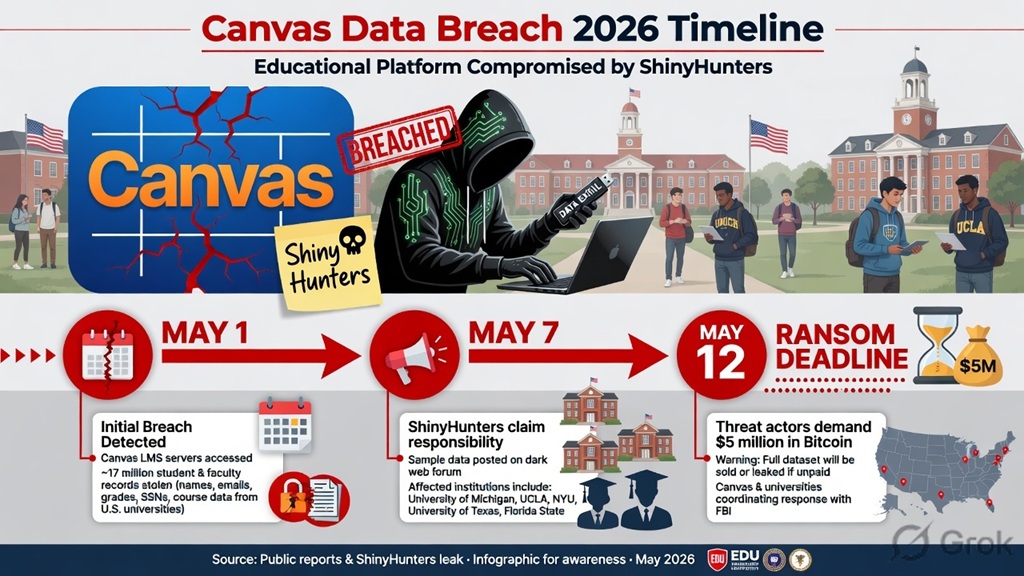
The Canvas Data Breach has left millions of students and teachers across the United States scrambling for answers as finals week chaos hits. In early May 2026, Instructure — the company behind the widely used Canvas learning management system — confirmed a major cybersecurity incident. Hackers known as Shiny Hunters claimed responsibility, saying they accessed data from nearly 9,000 schools and approximately 275 million records. The breach exposed names, email addresses, student ID numbers, and billions of private messages between users. While Canvas is now back online for most users, the ransom deadline of May 12 still looms, and concerns about phishing and data misuse remain high. Here’s everything students and teachers need to know right now, plus clear, actionable steps to protect yourself.
What Exactly Happened in the Canvas Data Breach?
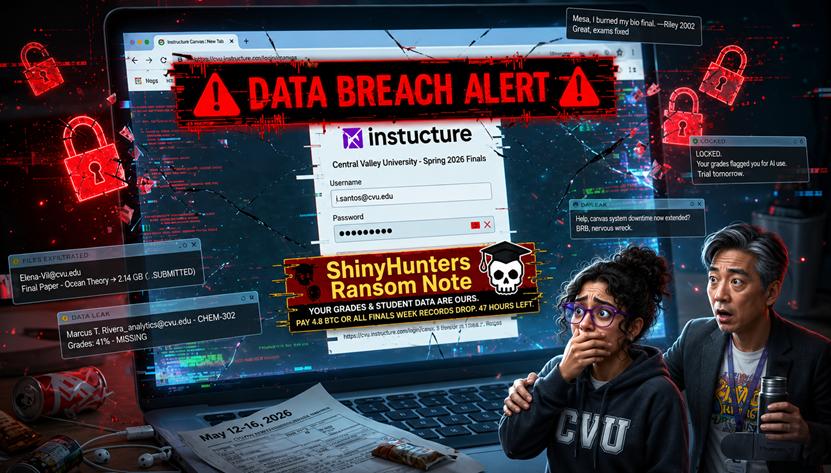
The Canvas Data Breach began around May 1, 2026, when Instructure first disclosed a cybersecurity incident. The company said a criminal threat actor had accessed certain user data in its cloud environment. On May 7, the situation escalated dramatically: ShinyHunters defaced login pages on multiple Canvas instances with a ransom note. The message accused Instructure of ignoring a previous breach and demanded payment to prevent the release of the stolen data.
This happened right in the middle of finals week for thousands of U.S. schools and universities, causing widespread outages. Many institutions had to reschedule exams or switch to alternative platforms. Instructure temporarily took affected systems offline, restored service within hours, and notified the FBI. As of May 9, 2026, Canvas is fully operational again, but the threat of data leakage remains real.
What Data Was Exposed in the Canvas Data Breach?
Instructure has been transparent about what was taken.
| Data Type | Exposed? | Details & Risk Level |
|---|---|---|
| Names & Email Addresses | Yes | Institutional and some personal emails – High risk for phishing |
| Student ID Numbers | Yes | School-specific IDs – Medium risk when combined with other info |
| Private Canvas Messages | Yes | Billions of messages between students, teachers, and staff – High privacy concern |
| Passwords | No | Instructure confirmed passwords were NOT compromised |
| Social Security Numbers | No | Not stolen |
| Dates of Birth / Financial Info | No | Explicitly ruled out by Instructure |
The biggest worry for most users is the private messages. Even without passwords, hackers could use names, emails, and message content for sophisticated social-engineering attacks.
Am I Affected by the Canvas Data Breach?
If your school or university uses Canvas (and most U.S. higher-ed and many K-12 districts do), you are likely affected. Instructure’s list of impacted institutions includes major universities, community colleges, and school districts across the country. The easiest way to confirm is to:
- Check your school’s official email or emergency alert page.
- Visit Instructure’s status page (status.instructure.com) for the latest update.
- Contact your school’s IT department directly.
What to Do Right Now After the Canvas Data Breach
Here is a simple, step-by-step checklist every student and teacher should follow today:
- Change your Canvas password immediately — Even though passwords weren’t stolen, do this as a precaution and use a strong, unique password you haven’t used elsewhere.
- Enable two-factor authentication (2FA/MFA) on your Canvas account, school email, and any linked services right now.
- Watch for phishing emails and texts — Hackers now have real names, emails, and message context. Never click links claiming to be from your school about the breach.
- Avoid clicking any suspicious Canvas-related links — Only log in directly through your school’s official portal.
- Review recent Canvas messages for anything unusual and report it to your IT team.
- Monitor your school email closely for official updates from your institution.
- Use a password manager (like Bitwarden or LastPass) to generate and store strong passwords going forward.
- Turn on account alerts for your email and any banking apps in case of unusual activity.
- If you receive any ransom-style or threatening message, screenshot it and forward it to your school’s IT/security team immediately.
- Backup important assignments and grades locally (download them) in case of any future outage.
These quick actions can dramatically reduce your risk.
Long-Term Protection After the Canvas Data Breach
The Canvas Data Breach highlights how vulnerable education platforms can be. For ongoing safety:
- Use unique passwords for every school-related account.
- Regularly review privacy settings in your email and social media.
- Consider a free credit-monitoring service (even though financial data wasn’t stolen, it’s good practice after any breach).
- Stay informed through your school’s official channels only.
What Schools and Instructure Are Doing About the Canvas Data Breach
Instructure has been actively investigating, cooperating with law enforcement, and restoring service. Many universities have already sent mass notifications and offered guidance. Some schools postponed finals or extended deadlines. The company has stated they found no evidence of ongoing unauthorized access and continue to monitor the situation.
Will the Stolen Data from the Canvas Data Breach Be Leaked?
ShinyHunters set a ransom deadline of May 12, 2026. As of now (May 9), there is no public leak, but the group has a history of following through if unpaid. Instructure and the FBI are involved, and experts generally advise against paying ransoms. We’ll update this post as new information emerges.
Scams to Watch Out For Following the Canvas Data Breach
Expect a wave of phishing attempts using details from the breach. Common red flags:
- Emails asking you to “verify” your Canvas account.
- Messages claiming your grades or assignments are at risk.
- Fake support links offering “free credit monitoring” tied to the breach.
If it looks suspicious, delete it.
Questions About the Canvas Data Breach
Q: Was my password stolen in the Canvas Data Breach? A: No. Instructure has confirmed passwords were not accessed.
Q: Should I stop using Canvas? A: No — the platform is back online and secure for normal use. Just follow the security steps above.
Q: Do I need to change my school email password? A: Yes, especially if it’s the same one you used for Canvas.
Q: Will this affect my final grades? A: Most schools have already made accommodations. Check with your professor or academic advisor.
The Canvas Data Breach is a wake-up call for digital safety in education. While the situation is still developing, acting quickly with the steps above will keep you protected. Stay calm, stay informed through official channels, and prioritize strong security habits moving forward.
Sources & Further Reading (as of May 9, 2026):
- Instructure Official Status Page
- ABC7 Los Angeles, TechCrunch, Bleeping Computer, and university statements from UT Austin, University of Nevada, Reno, and others.
Stay safe — and good luck with finals! If your school releases new information, drop it in the comments below so we can keep this guide updated.
You like to Read – Tesla Fights EPA Rollback Even as Musk Backs Trump


